This content is unavailable. Please contact customer service for more information.
Already a subscriber? Login or Activate your account.
You've reached the end of the standard E-Edition.
This content is unavailable. Please contact customer service for more information.
Happenings
Art
'Color of My Love' highlights art from Whitewater couple
Steve Targo
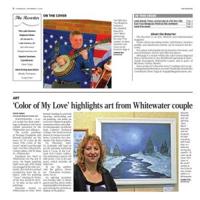
Rolanda Kolander with her painting “Blue Moon.” Kolander and her
husband, Enrique Esquipula, both have their art featured during
this month’s “El Color de Mi Amor (The Color of My Love)” exhibit
at the Cultural Arts Center Gallery in Whitewater.
Submitted, Resorter
WHITEWATER — A local couple has their paintings on display in the latest exhibit presented by the Whitewater Arts Alliance.
The acrylic paintings of Enrique Esquipula and Rhonda Kolander are the focus of “El Color de Mi Amor (The Color of My Love),” which runs through Sept. 29 at the Cultural Arts Center Gallery, 402 W. Main St., Whitewater.
Esquipula has lived in Whitewater for the last 15 years. He began painting eight years ago, after being encouraged by his wife, Kolander. His work has earned recognition from the alliance, with his painting “Trees” winning its Poster of the Year Award in 2010-11. To date, he has sold 72 paintings.
Kolander moved to Whitewater in 1996. With formal training in portrait drawing, airbrushing and oil painting, she holds an associate’s degree in graphic communications and a digital photography certificate from Gateway Technical College. Her work has been shown in various local galleries. Currently, she coordinates The TeaLux Gallery.
On Thursday, Sept. 26, Kolander will lead an acrylic painting workshop from 5-7 p.m. at the Cultural Arts Center Gallery. The workshop is open to all skill levels. Cost is $35 per guest, which includes all materials.
To see the exhibit, visit the gallery. Hours are Thursdays-Sundays, noon-4 p.m.
An opening reception was Sunday, Sept. 8, where guests met the artists while enjoying light refreshments and viewing the artwork on display in the gallery.
Click and hold your mouse button on the page to select the area you wish to save or print.
You can click and drag the clipping box to move it or click and drag in the bottom right corner to resize it.
When you're happy with your selection, click the checkmark icon next to the clipping area to continue.